
Photo Math Solver for Step-by-Step Answers
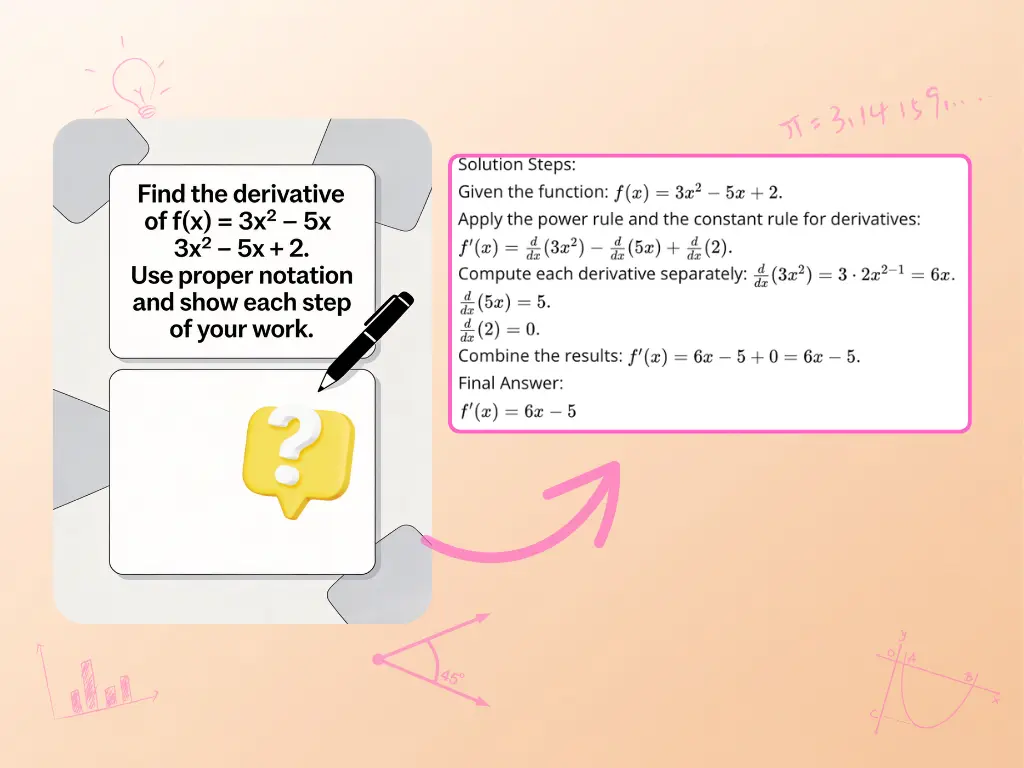
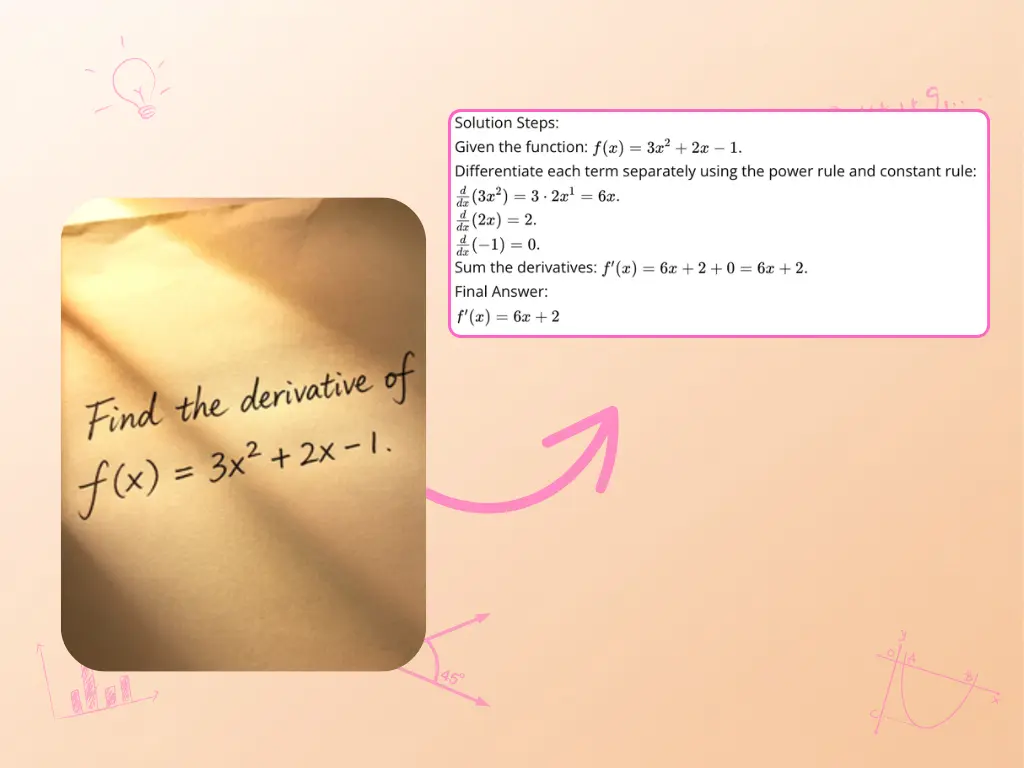
Take a clear photo of a handwritten equation, printed worksheet, or textbook problem and send it to AskMath. Photo Math Solver reads the problem and returns a step-by-step explanation you can review at your own pace. Use the result to check your work, understand a difficult step, or ask a follow-up question instead of stopping at the final answer.
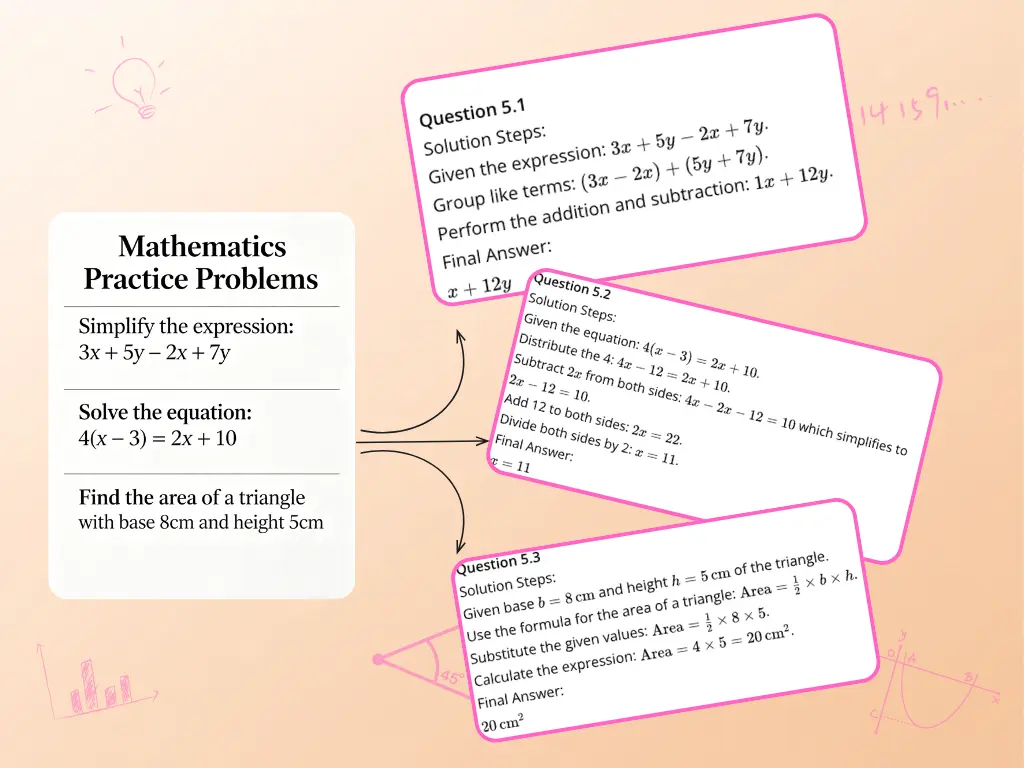
Photo Math Solver Features for Clearer Learning
Read Handwritten and Printed Math from Images
Upload a clear photo or screenshot instead of retyping a long expression. The math solver scanner can read handwritten and printed notation, including variables, fractions, roots, and common math symbols. Clear lighting, sharp focus, and a complete view of the problem help produce a better result. If the question depends on a written scenario, use the word problem solver for text-focused reasoning.
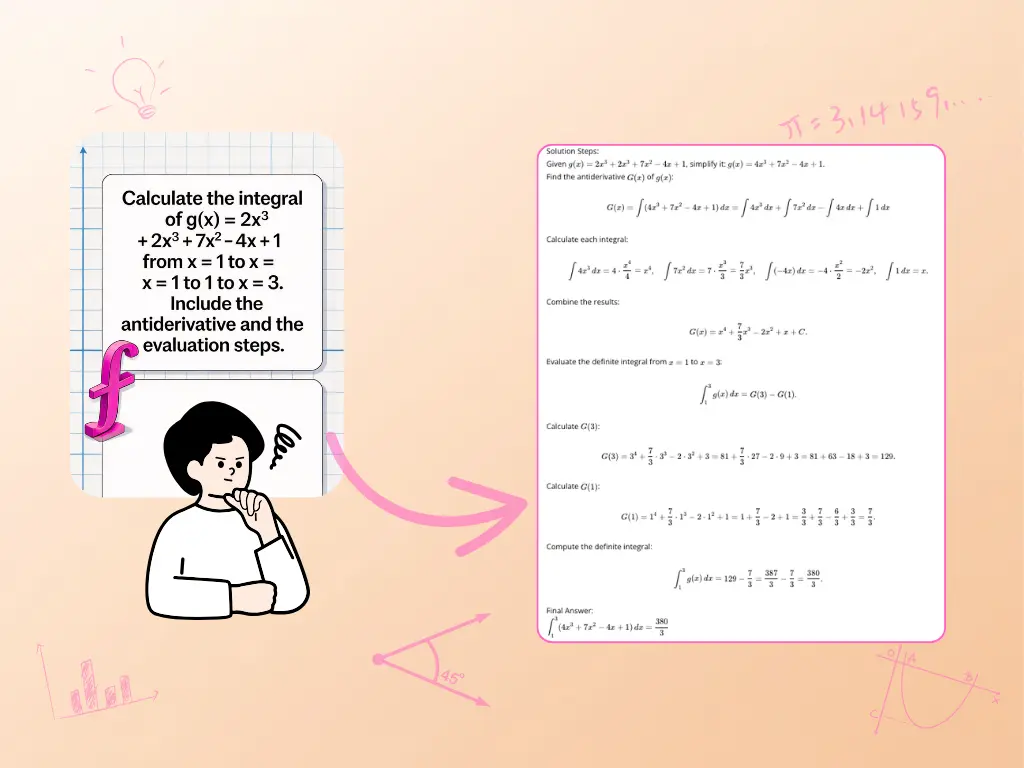
Work Through Math from Arithmetic to Calculus
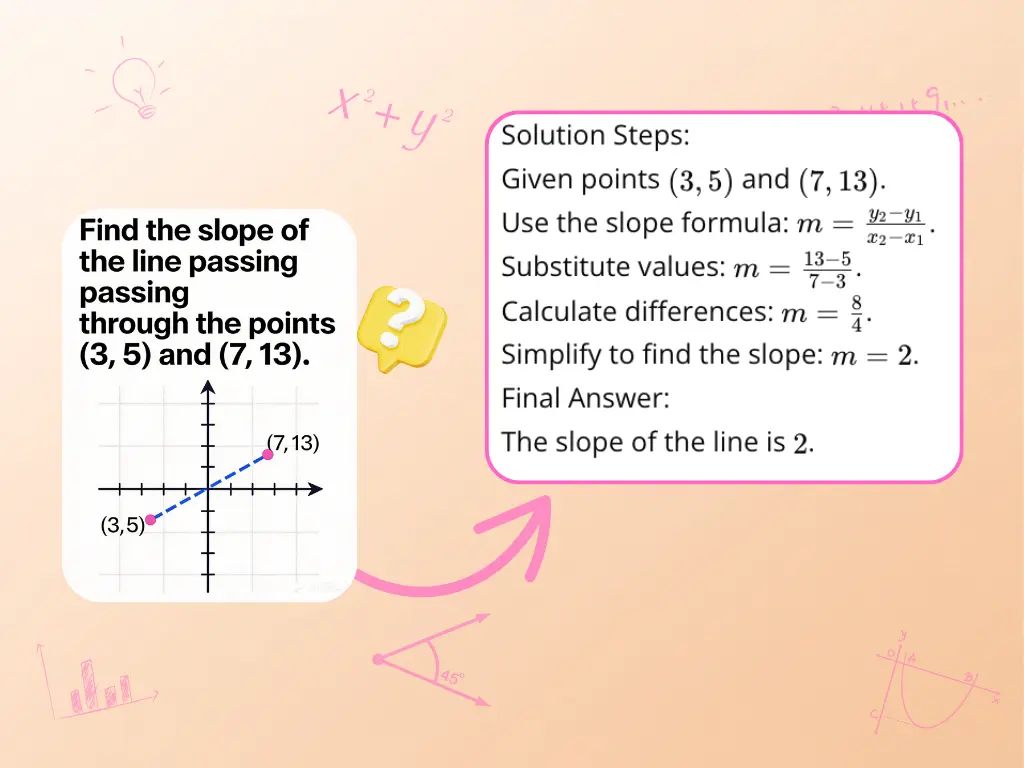
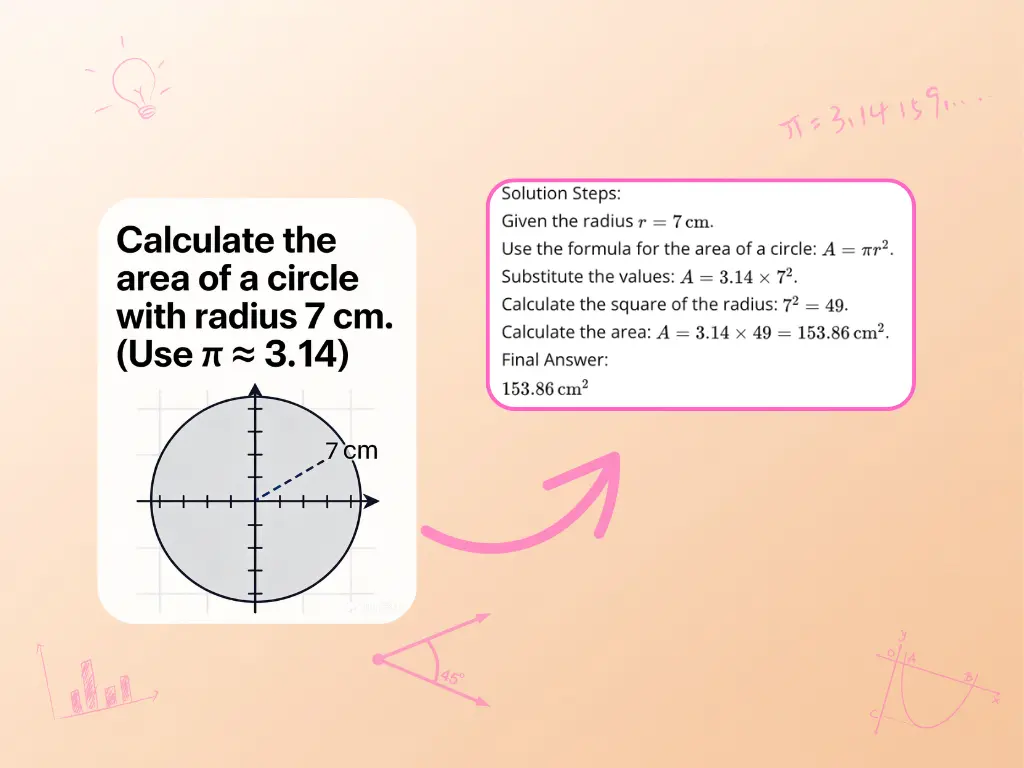
Use a picture to work on arithmetic, algebra, geometry, trigonometry, statistics, and calculus problems. The tool is suited to equations, expressions, and diagrams that are difficult to enter with a standard keyboard. For questions you would rather type, draw, or upload as a PDF, the AI math solver provides the broader set of input options.
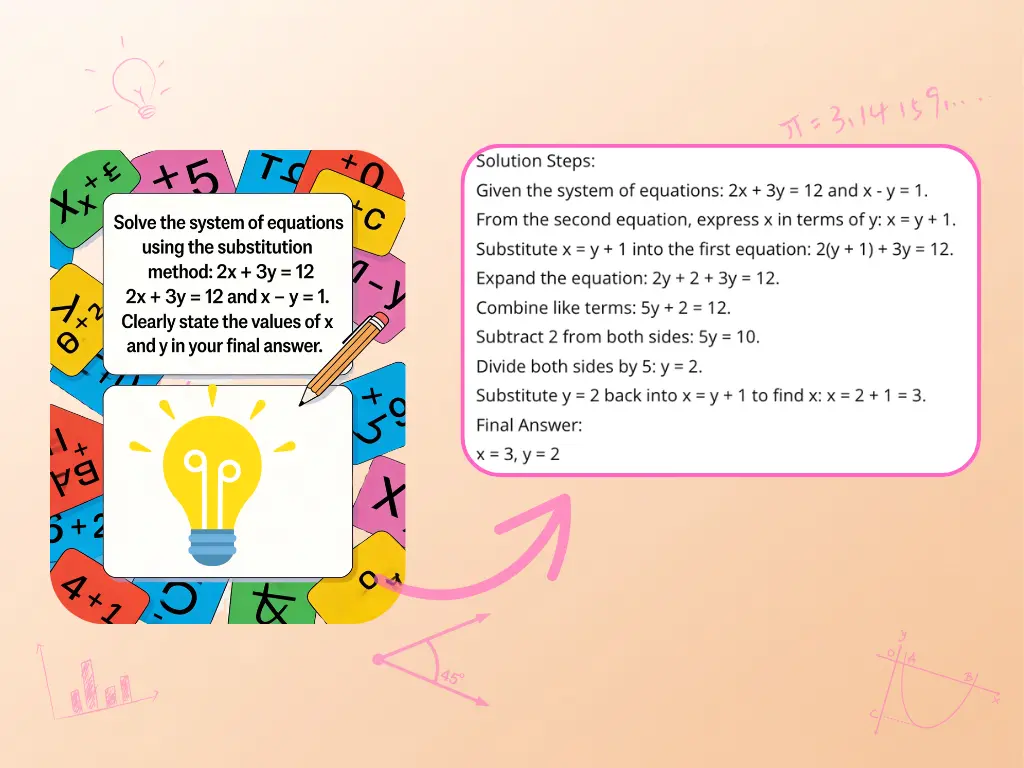
Follow Each Step and Ask for Another Explanation
A useful solution should show how the result was reached. AskMath breaks the work into ordered steps so you can trace the reasoning and find the point that needs more attention. You can ask follow-up questions or request another method when the first explanation does not match the approach used in class. For longer, guided conversations about a topic, continue with the AI math tutor.
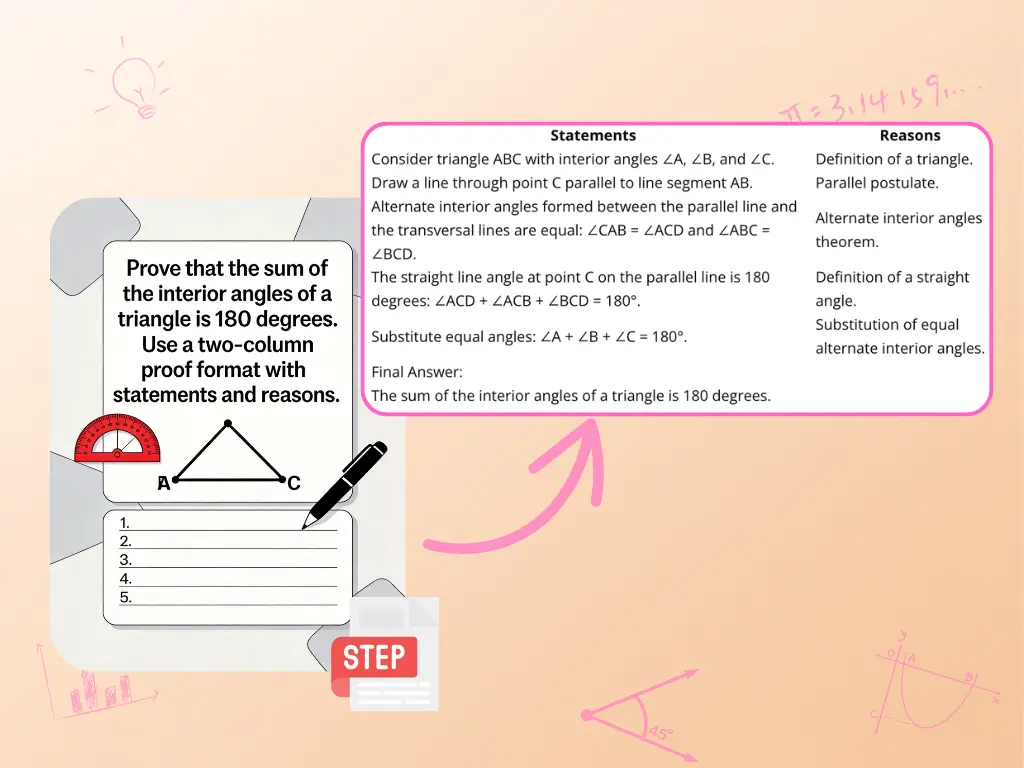
How to Use the Photo Math Solver
Take or Upload a Clear Picture
Photograph the full problem or choose an existing image. Keep the page flat, use even lighting, and make sure every symbol is in focus before you upload it.
Submit the Problem for Image Analysis
Send the image to the math solver scanner. If the photo is cropped, shadowed, or difficult to read, take another picture so the complete expression is visible.
Review the Steps and Keep Learning
Read the solution in order and compare it with your own work. Ask a follow-up question or try another method when you want more detail about a particular step.
Practical Ways to Use a Camera Math Solver
Get Unstuck on a Homework Problem
When one equation stops the rest of an assignment, take a photo and review the worked solution. Use the steps to identify where your approach changed course, then finish the problem in your own notes. For assignments that extend beyond a single math question, the AI homework helper supports a wider range of study tasks.
Check Practice Work Before an Exam
Photograph a completed practice question and compare the explanation with your own method. Reviewing the point where the two approaches differ can reveal a sign error, a missed rule, or a concept worth revisiting before the test.
Handle Long Calculus and Algebra Expressions
Complex notation can be slow to type and easy to enter incorrectly. A clear image keeps the original symbols, coefficients, limits, and exponents together while the solution is prepared. When a function is easier to understand visually, open the graphing calculator to explore its shape and key points.
Help a Child Work Through a Difficult Step
Parents can photograph a worksheet question and read through the explanation with their child. The worked steps provide a shared starting point for discussing the method, even when the topic has not come up since the parent was in school.
Why Choose AskMath's Photo Math Solver
Less Retyping for Complex Notation
Capture a printed or handwritten problem as it appears on the page. This is especially useful for fractions, exponents, roots, and multi-line expressions that are awkward to enter on a keyboard.
Clear Step-by-Step Explanations
Review the reasoning between the question and the final result. Ordered steps make it easier to check your own method and focus on the part you do not yet understand.
Follow-Up Questions When a Step Is Unclear
Continue the conversation after the first solution. Ask why a rule applies, request more detail, or clarify the step where your own work differs.
Another Method for the Same Problem
When more than one approach is useful, request another method and compare the reasoning. This can help connect the solution to the technique used in your course.
Flexible Inputs Beyond a Single Photo
AskMath also supports text, PDFs, formulas, and drawings. Move between input formats when a screenshot, worksheet, or hand-drawn diagram is the clearest way to share the problem.
Free Daily Credits to Start
Try the tool with limited free daily credits. Additional usage and advanced models are available under the account and plan options shown in AskMath.
How Learners Use a Math Solver Scanner







Try the Photo Math Solver with Free Daily Credits
Photo Math Solver FAQ
Upload or take a clear picture that shows the complete problem. The tool reads the notation and prepares a step-by-step solution. Review the reasoning in order, compare it with your own work, and use a follow-up question when you need more detail about a step.
Yes, the math solver scanner accepts photos of handwritten as well as printed math. Recognition depends on the image, so write clearly, keep the page flat, use even lighting, and include every symbol. If part of the problem is unclear, upload a sharper photo.
The tool can help with common problems in arithmetic, algebra, geometry, trigonometry, statistics, and calculus. Results vary with the problem and image quality. Check important calculations and use the explanation to understand the method rather than relying only on the final answer.
Place the page on a flat surface and use bright, even light. Hold the camera steady, avoid shadows and glare, and keep the complete question inside the frame. A close, sharp picture with visible exponents, fraction bars, and diagram labels is easier to read.
Yes. AskMath provides limited free daily credits that you can use to try the tool. Available credits, model access, and usage limits depend on your account and plan. Check the current options in AskMath if you need additional use.
Yes. This is a web-based tool, so you need an internet connection to upload the image and receive a solution. You can open AskMath in a supported browser on a computer or mobile device without installing a separate math-solving app.
AskMath processes uploaded content to provide the requested solution. For current details about collection, use, retention, and sharing of uploaded data, review AskMath's Privacy Policy before submitting sensitive or personal material. Avoid including names or unrelated personal information in the image.
Take another photo with better focus and lighting. Make sure the entire expression is visible, remove shadows, and crop out unrelated content without cutting off the question. If handwriting remains difficult to read, enter the problem as text or use the formula input instead.
Yes. After you receive a solution, ask about a rule, request more detail for one step, or try another method. Follow-up questions are useful when the first explanation is correct but does not match the technique used in your class or notes.